 |
 What is Tantrix?The Story so farThis Month's RankingTournaments What is Tantrix?The Story so farThis Month's RankingTournaments |
 |
|


| TANTRIX Daily Match |
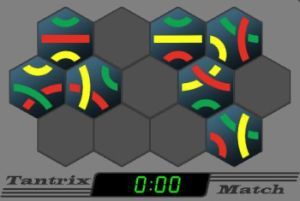 Your first time here?
There is only one rule - all colours must match. Once Daily Match is launched, enter your name under "Tools". Play by dragging tiles onto the Match board. Colours which do not match will be highlighted in purple, impossible spaces are marked by a circle. You are allowed to ask for one hint per puzzle, but only if you complete all 3 levels without a hint will your name and time be recorded on the "Top Times" list. Each puzzle has one, and only one solution. A new sequence of three puzzles is posted daily. The difficulty of the puzzles will vary from day to day, so good luck! Click here if you would like a few more hints about how to play. |
|||
 |
|||

|
Play Daily Match now You need to have Java installed on your PC to play Match. If it is not installed yet, please click here to find out more about how to get it. When you are done, come back to this page and click your preferred "Play Now" link again. You will only have to install Java once. Click on a flag to play in one of the following languages: |
|||
|
|||
|
|||




















|
Creating a Shortcut The Match installation should automatically create a shortcut on your desktop for easy future access. If this feature does not work for you for some reason, then you can follow the instructions below to add it manually. To create a shortcut for "Daily Match" (Windows) on your desktop:
|
|||
|
|||
© Copyright 2022, Colour of Strategy, Pohara, New Zealand. All rights reserved. Last update: February, 2022 |